Designer and Viewer are used for different stages of a Web Vision project. Designer is the engineering environment used to create and validate the HMI, while Viewer is the runtime environment used to execute the application as operators will see it.
Because each environment has a different purpose, some behaviors differ between them, including the user interface, browser size, Startup Template loading, and event execution.
Main Differences
Area | Designer | Viewer |
|---|---|---|
Purpose | Used to build, configure, edit, and preview the project. | Used to run the HMI as an operator-facing application. |
User interface | Includes editing controls, property configuration, project tools and designer helpers. | Shows only the runtime HMI interface intended for end users. |
Browser size | The design canvas may be affected by editor panels and available workspace. | The project uses the actual runtime browser viewport or target display size. |
Startup Template | Screens or templates can be opened directly during development and may not always start from the Startup Template. | Loads the configured Startup Template as the project entry point. |
Events | Useful for testing interactions, but some behaviors may depend on preview context. | Executes events in the real runtime context with the final project flow. |
User Interface Differences
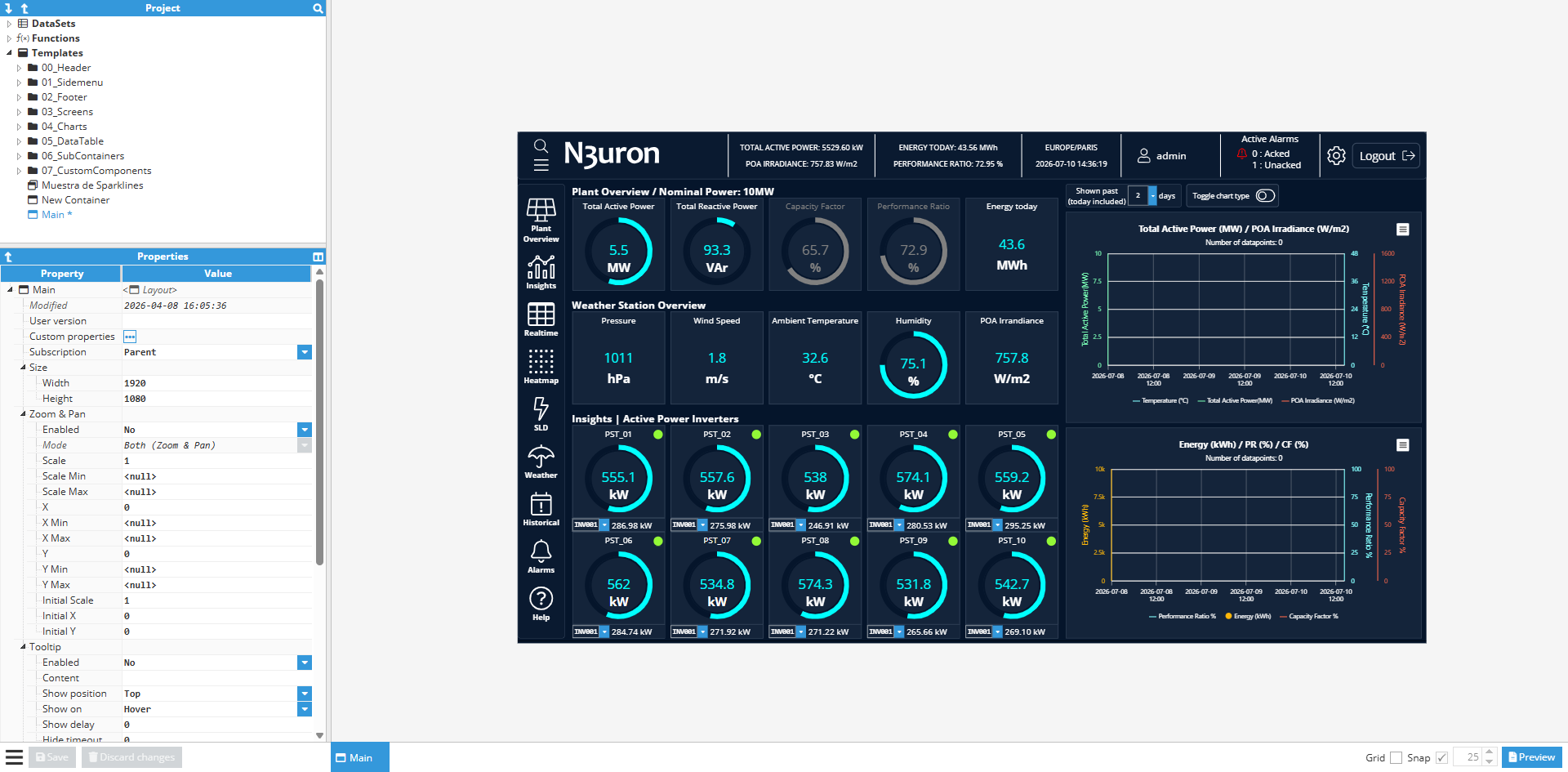
In Designer, the screen is displayed inside a workspace interface. This interface includes the Project tree, property panels, toolbars, configuration panels, and other development tools.
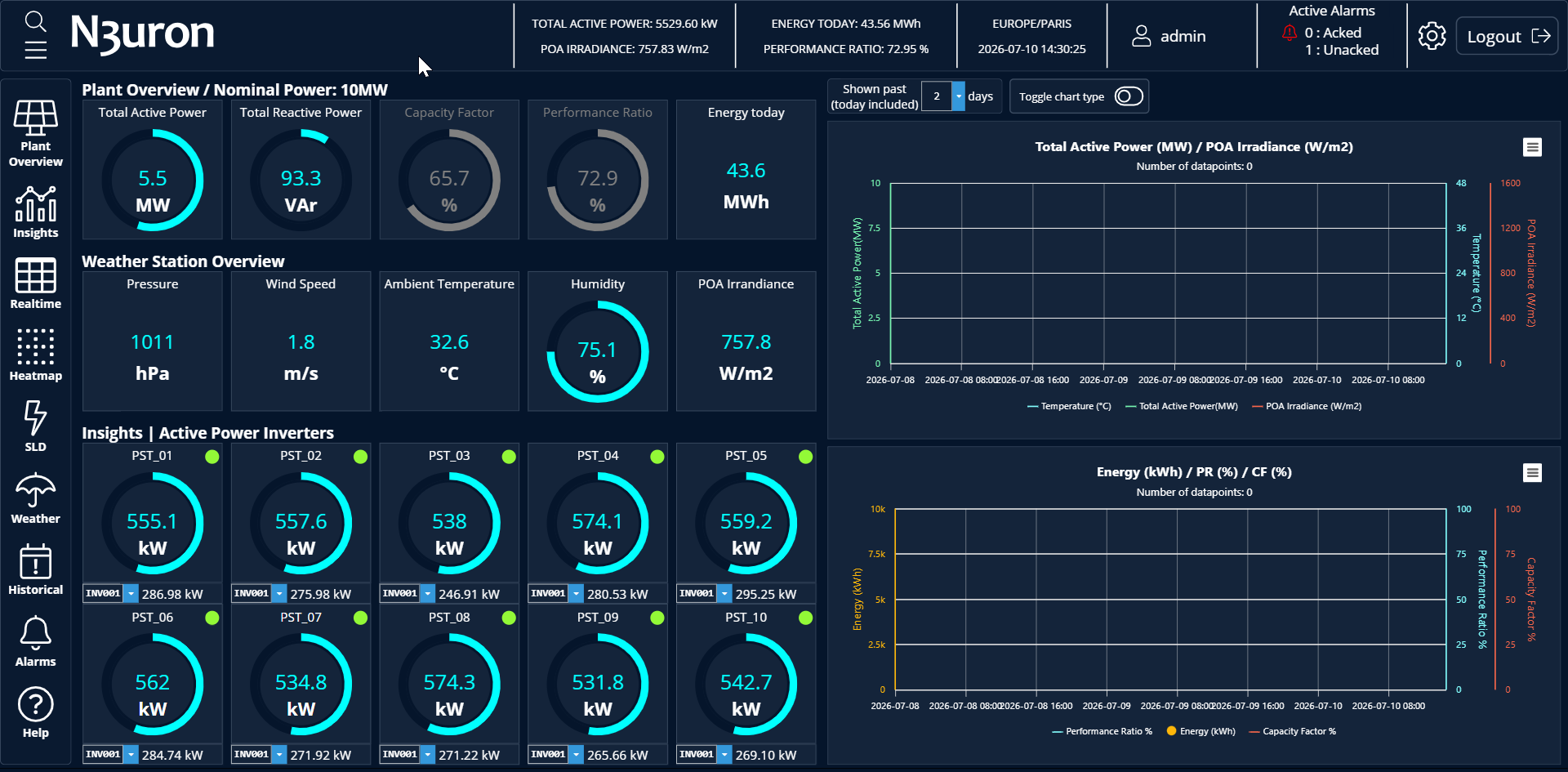
In Viewer, the same project is displayed as the final runtime HMI. The editing tools are not shown, and the user only sees the interface elements configured for operation.
Tip:
Use Designer to develop and validate how the screen is built, and use Viewer to validate how the screen is experienced by the end user.
Browser Size and Viewport Behavior
The available display area can be different between Designer and Viewer. In Designer, the canvas is reduced by editing panels and toolbars, but the templates size and proportions stay as configured on properties. In Viewer, the application runs in the actual browser window or target display used by operators, while the templates size adapt to user screen.
This difference is important when validating responsive layouts, fixed-position elements, popups, navigation menus, and components that depend on screen size.
Designer: Good for checking alignment, layout structure, and object configuration.
Viewer: Required for validating the final viewport, browser behavior, and target display resolution.
Startup Template Loading
In Designer, users can open and edit specific screens, templates, or components directly from the project structure. This is useful during development because it allows each object to be configured and tested independently.
In Viewer, the project should start from the configured Startup Template. This template defines the initial runtime entry point and controls what users see first when the HMI is opened.
Recommendation:
Always validate the project in Viewer after marking or changing the Startup Template. This confirms that the correct initial screen is loaded at runtime.
Event Behavior
Events and actions can be tested in Designer during development, especially when using preview capabilities. This helps validate navigation, popups, expressions, animations, and interaction logic before moving to runtime testing.
However, some event behavior should always be checked in Viewer because Viewer represents the final runtime context. This includes startup events, page load behavior, user navigation, permission-dependent actions, live Tag updates, and interactions that depend on the full project flow.
Event type | Recommended validation |
|---|---|
Click or tap actions | Test first in Designer, then confirm in Viewer. |
Navigation events | Validate the complete navigation flow in Viewer. |
Startup events | Validate in Viewer, because they depend on runtime project loading. |
Permission-based events | Validate in Viewer using the intended runtime user roles. |
Tag-driven events | Validate in Viewer with live Tags and realistic operating conditions. |