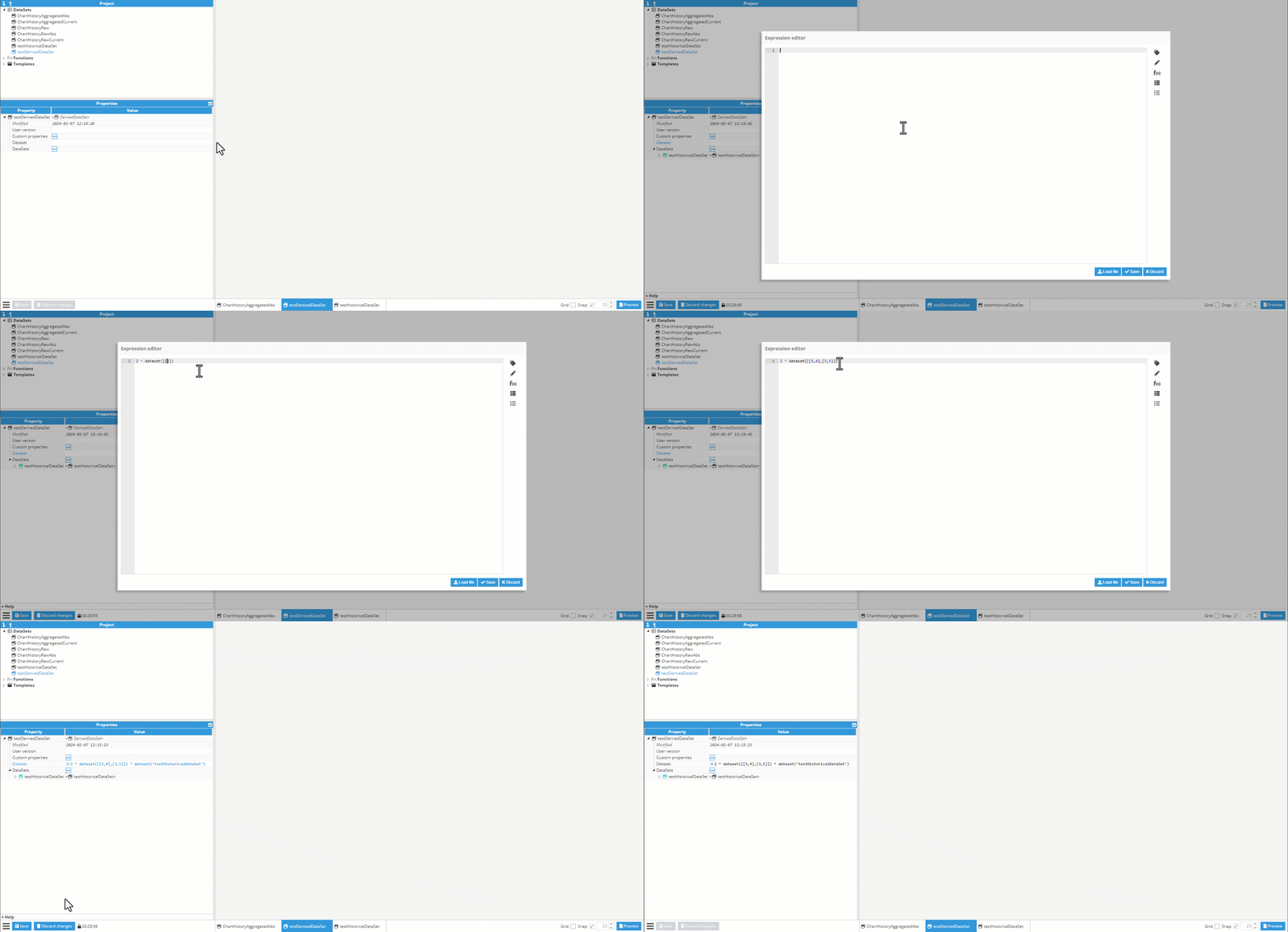
In the example below, a historical dataset is added to the Datasets list, making it available inside the expression editor.
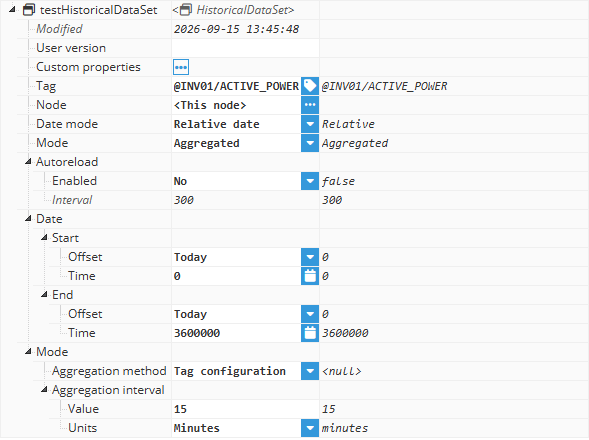
The first step is to create the Historical Dataset template we will be using for this example. The dataset will be configured with the default values, and the tag read is the alias created on a previous example.
Then, the Historical Dataset Template is instantiated inside our final Derived DatasetTemplate, so it can be used on future calculations in this dataset.
In the dataset expression, we first create a manual dataset being multiplied by 2, and then multiplies the resulting values by the corresponding values from the testHistoricalDataset.
The output is a new derived dataset where each tuple contains the calculated value while preserving the dataset structure.