In N3uron, each Module instance has its own Logger configuration. This allows logging to be managed independently for each module running on the same node.
Module logs provide diagnostic information about startup, runtime activity, communication issues, errors, warnings, and possible configuration problems. They are one of the main tools used to troubleshoot module behavior.
Configuration
To configure the Logger for a Module instance, go to System → Config → Modules, expand the required Module instance in the Explorer panel, and select Logger.
The following example uses a DNP Server module instance, but the same Logger settings are available for each Module instance.
.png)
Viewing and Exporting Logs
N3uron allows log files to be viewed and exported directly from WebUI. To access the log viewer, go to System → Diagnostics → File Logs.
From this page, select the required Module instance, choose the log level to display, and click Load. Use the Export option to download the raw log files whenever they need to be shared or archived.
Logs Location
Logs are stored in the log folder inside the main N3uron installation directory. The log folder is organized by Module instance, so each instance has its own folder containing the corresponding log files.
The general path format is <installation_folder>/N3uron/log/<module_instance_name>. Log files are rotated by day, which makes it easier to identify the time period that needs to be reviewed.
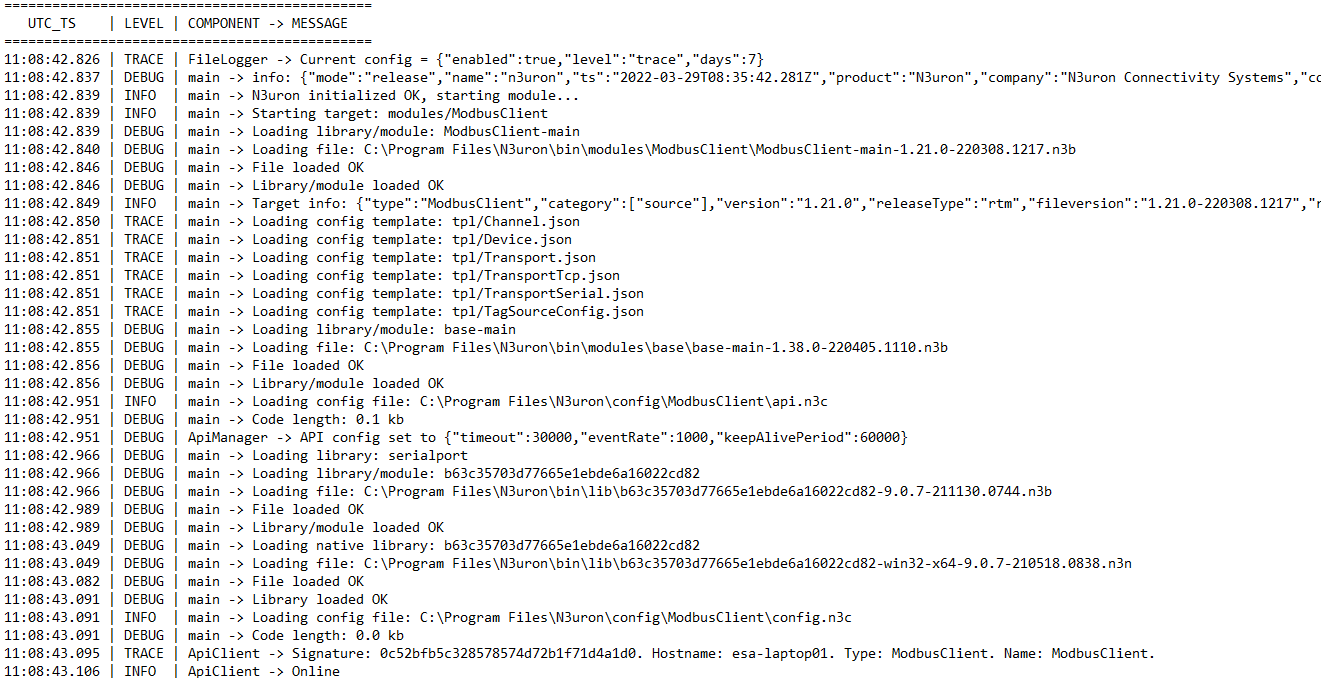
An example of log file content is shown below: