Note:
The MCP Server module is available from N3uron version 1.22.0.
What's AI-Ready PV Demo?
The AI-Ready PV Demo Project is a pre-configured N3uron node backup that provides a fully operational environment for exploring the MCP Server module — no real plant connection required. Once restored to any N3uron v1.22 instance, it delivers a complete, ready-to-use setup including a data model, historian, alarms, custom tools, prompts, resources, and a N3uron Web Vision HMI.
The project simulates a 10 MW photovoltaic generation plant (BLUELAKE / PVG001) composed of 10 Power Stations (PST_01 through PST_10), each containing two 500 kW inverters (INV001 and INV002) and a shared weather station (WST).
The simulation is driven by a real-plant weather dataset: 12 monthly JSON files at 1-minute resolution, covering irradiance (beam, diffuse, and reflected), solar elevation angle, ambient temperature, and wind speed. 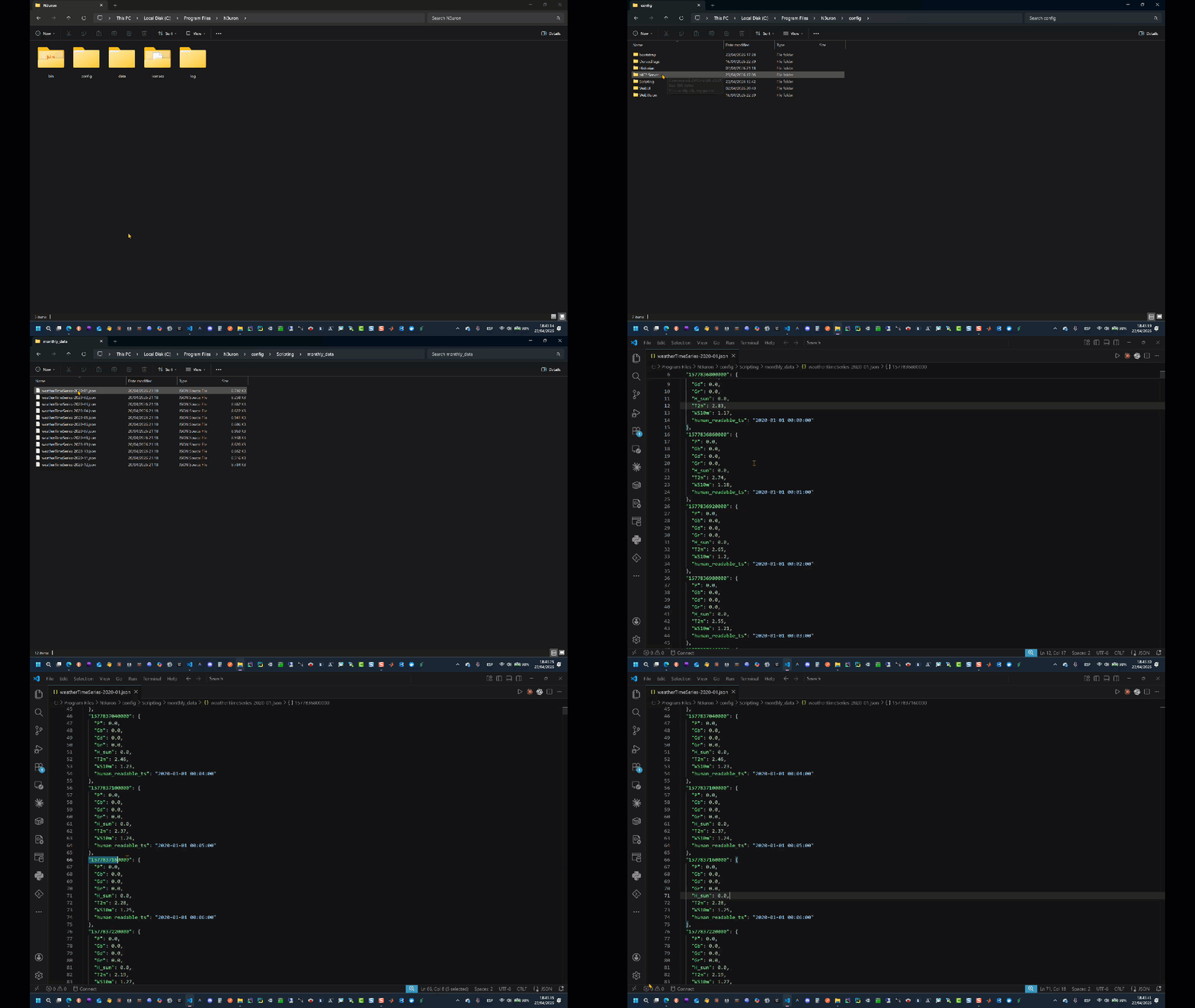
The N3uron Scripting module replays this dataset in real time to compute energy production, which the Derived Tags module then uses to calculate per-station and plant-level KPIs. All data is historized using the N3uron Historian configured with the embedded MongoDB database — no external services or network dependencies are required.
The MCP Server instance included in the backup exposes this plant model to any MCP-compatible AI agent client through a curated set of built-in and custom tools, predefined prompts, and resources — including embedded files, logs, alarms, and tags — all configured and ready to use.
Note:
Not all MCP clients implement the full MCP feature set; some support only tool invocation and do not support prompts invocation via MCP protocol.
Note:
Not all MCP clients fully support the resources primitive. Some clients may not implement resource discovery or retrieval, while others may support reading resources but not subscribing to updates. Additionally, subscription functionality (receiving automatic notifications when resource content changes) varies significantly across MCP client implementations. Verify your client's capabilities before relying on resource features in production workflows.
.gif)
Data Model
The data model is built around a hierarchical tag structure that mirrors the physical layout of the plant, from the generation group level down to individual inverters. All assets are modelled using N3uron Templates, which define the tag structure once and instantiate it across all equivalent assets — ensuring consistency in naming, descriptions, engineering units, and historian configuration across the entire fleet.
Recommendation:
A well-structured, hierarchical tag model is the single most important factor for effective AI integration. When tags follow a consistent naming convention, carry meaningful descriptions, and include correct engineering units, AI agents can navigate and interpret the data model on the first pass — minimizing tool calls, token consumption, and time to insight.
Paths like /PVSIM/BLUELAKE/PVG001/PST_01/INV001/ACTIVE_POWER are self-descriptive: the agent knows the site, the generation group, the station, the device, and the measurement without requiring additional context. Combine this with a clear description ("Power Station 1 inverter 1: Active Power") and a correct engineering unit (kW), and the agent can reason about the data immediately.
N3uron Templates make this scalable: define the structure once per asset type and every instance inherits the same descriptions, units, and configuration. Any change to the template definition propagates automatically to all instances.
Templates Overview
Tag Hierarchy
The main plant tags are rooted at /PVSIM/BLUELAKE/PVG001/. Each Power Station (PST_01 through PST_10) contains two inverter instances (INV001, INV002) and a station KPI group (KPI_ST). Plant-level aggregations, weather data, alarms, and geolocation are organized in dedicated groups at the generation group level.
.png)
Templates
The data model is built from 8 templates that compose the full plant hierarchy. Group templates nest other templates to build multi-level structures, while tag templates define individual tag properties including type, engineering units, and alarm configuration.
Template | Type | Description |
|---|---|---|
PVG | Group | Top-level generation group. Nests 10 × PST, KPI_VG, WST, and LOCATION templates. Passes the Historian parameter down to all children. |
PST | Group | Power Station. Nests INV001, INV002 (both instances of INV), and KPI_ST. Also defines 4 transformer tags at station level (TRAF_PRI_VOLTAGE, TRAF_PRI_CURRENT, TRAF_SEC_VOLTAGE, TRAF_SEC_CURRENT). |
INV | Group | Inverter. Defines 8 tags: ACTIVE_POWER, REACTIVE_POWER, ACTIVE_ENERGY, FREQUENCY, POWER_FACTOR, VOLTAGE, VOLTAGE_LL, CURRENT. Instantiated as INV001 and INV002 inside each PST. |
KPI_ST | Group | Station-level KPIs. Defines 8 tags aggregating both inverters into station totals, 5-minute averages, and Performance Ratio. One instance per PST. |
KPI_VG | Group | Plant-level KPIs. Defines 11 tags aggregating all 10 stations into plant totals, 5-minute and hourly averages, Performance Ratio, and Capacity Factor. One instance per PVG. |
WST | Group | Weather station. Defines 8 tags for environmental measurements and 48-hour ahead forecasts replayed from the monthly weather dataset. One instance per PVG. |
LOCATION | Group | Plant geolocation. Defines 2 static tags (LATITUDE, LONGITUDE) used by the Scripting module to resolve the correct weather dataset. One instance per PVG. |
ProcessAlarm | Tag | Parameterized boolean alarm tag. Accepts Description, Priority, and Period parameters. Used as the base for all 4 alarm driver tags (CommAlarm, FaultAlarm, PowerLowAlarm, StatusAlarm) under /PVSIM/BLUELAKE/PVG001/ALARMS/. |
Note:
These alarms are included as part of the simulation framework to support alarm handling workflows and root cause analysis. By design, they are logically decoupled from the core simulation behavior and therefore do not influence the main simulation unless explicitly mapped by the user. The AI Agent / LLM may read or acknowledge these alarms subject to the appropriate permission model, and should correlate them with the underlying simulation context when generating RCA outputs. This architecture keeps the simulation stable, modular, and easier to maintain, while still allowing users to extend the alarm behavior when required.
Inverter template (INV)
Each inverter instance exposes 8 tags. Measurement tags are written directly by the Scripting module. CURRENT and VOLTAGE_LL are calculated by Derived Tags from the raw measurements. All 8 tags are historized.
Tag | Description | Unit | Source |
|---|---|---|---|
ACTIVE_POWER | Active power output | kW | Scripting |
REACTIVE_POWER | Reactive power output | VAr | Scripting |
ACTIVE_ENERGY | Cumulative active energy produced | kWh | Scripting |
FREQUENCY | Grid frequency | Hz | Scripting |
POWER_FACTOR | Power factor | pu | Scripting |
VOLTAGE | AC phase voltage (line-neutral) | V | Scripting |
VOLTAGE_LL | AC line-to-line voltage (VOLTAGE × √3) | V | Derived Tags |
CURRENT | AC output current (√(P²+Q²) / VOLTAGE_LL) | A | Derived Tags |
Station KPI template (KPI_ST)
One KPI_ST instance exists per Power Station. It aggregates both inverter measurements into station-level KPIs. All 8 tags are historized.
Tag | Description | Unit | Source |
|---|---|---|---|
ACTIVE_POWER_TOTAL | Total active power (INV001 + INV002) | kW | Scripting |
REACTIVE_POWER_TOTAL | Total reactive power (INV001 + INV002) | VAr | Scripting |
ACTIVE_ENERGY | Cumulative active energy (INV001 + INV002) | kWh | Derived Tags |
NOMINAL_POWER | Station nominal power (static: 1,000 kW) | kW | Static |
POA_IRRADIANCE | Plane of Array irradiance | W/m² | Scripting |
POA_IRRADIANCE_5MIN_AVG | 5-minute average POA irradiance (cron: */5 * * * *) | W/m² | Derived Tags |
ACTIVE_POWER_5MIN_AVG | 5-minute average active power (cron: */5 * * * *) | kW | Derived Tags |
PERFORMANCE_RATIO | Performance ratio (P_5min / (G_5min/1000 × P_nom) × 100) | % | Derived Tags |
Plant KPI template (KPI_VG)
One KPI_VG instance exists per PVG. It aggregates all 10 Power Stations into plant-level KPIs. All 11 tags are historized.
Tag | Description | Unit | Source |
|---|---|---|---|
ACTIVE_POWER_TOTAL | Total plant active power | kW | Scripting |
REACTIVE_POWER_TOTAL | Total plant reactive power | VAr | Scripting |
ACTIVE_ENERGY | Cumulative active energy (sum of all stations) | kWh | Derived Tags |
ACTIVE_ENERGY_DAY | Today's cumulative energy production | kWh | Scripting |
NOMINAL_POWER | Plant nominal power (static: 10,000 kW) | kW | Static |
POA_IRRADIANCE | Plant-level Plane of Array irradiance | W/m² | Scripting |
POA_IRRADIANCE_5MIN_AVG | 5-minute average POA irradiance | W/m² | Derived Tags |
ACTIVE_POWER_5MIN_AVG | 5-minute average total active power | kW | Derived Tags |
ACTIVE_POWER_HOUR_AVG | Hourly average active power (cron: 0 * * * *) | kWh | Derived Tags |
PERFORMANCE_RATIO | Plant performance ratio | % | Derived Tags |
CAPACITY_FACTOR | Capacity factor (ACTIVE_POWER_HOUR_AVG / NOMINAL_POWER × 100) | % | Derived Tags |
Historical Data Backfill
Out of the box, the live simulation only produces real-time data from the moment the node starts. To populate the N3uron Historian with meaningful historical data — enabling trend analysis, KPI comparisons, and AI-driven diagnostics from day one — the backup includes a dedicated backfill mechanism that populates 90 days of simulated history directly into MongoDB, starting from the backfill execution and working backwards.
Control tags (/BACKFILL/)
The backfill is controlled and monitored through 9 dedicated tags under /BACKFILL/. These tags are not part of the plant data model — they exist exclusively to drive and observe the backfill Scripting task.
Tag | Type | Description |
|---|---|---|
Request | Boolean | Write true to start the backfill. Automatically resets to false on completion. |
Running | Boolean | Concurrency lock. true while backfill is in progress. Prevents duplicate runs. |
ProgressPct | Number | Completion percentage (0–100), updated after each day is written. |
Status | String | Current state: Idle / Starting / Day D/90 done / Complete / Stopped / Failed. |
LastStartUtc | String | ISO 8601 timestamp of the most recent run start. |
LastEndUtc | String | ISO 8601 timestamp of the most recent run end (success or failure). |
LastError | String | Error message from the last failed run. Empty when last run succeeded. |
StopRequest | Boolean | Write true to stop the backfill gracefully after the current day finishes. |
Underperformance | Boolean | When true, introduces a simulated underperformance condition on PST_03 and PST_06 during the backfill, creating realistic anomaly patterns for diagnostics testing. |
How the backfill works
The backfill is implemented as a N3uron Scripting task triggered by a tag change on /BACKFILL/Request. Writing true to that tag fires the script, which executes the following sequence:
Concurrency check. If Running is already true, the script exits immediately — preventing duplicate executions.
Direct MongoDB connection. The script connects directly to the embedded MongoDB instance via the native wire protocol (port 27017), bypassing the N3uron Historian API. This allows writing historian bucket documents without going through the tag manager.
Day-by-day simulation. For each of the 90 days ending at the start of today UTC, the engine replays all 1,440 one-minute ticks from the weather dataset, computing inverter power, energy, KPIs, 5-minute averages, hourly averages, Performance Ratio, and Capacity Factor — using the exact same formulas as the live Scripting and Derived Tags modules.
Overwrite mode. Before writing each day, the existing MongoDB collection for that date is dropped. This ensures a clean, consistent dataset every time the backfill runs — whether it is the first time or a repeat run after the simulation has been running for some days.
Progress reporting. After each day is written, the script updates ProgressPct and Status so progress can be monitored in real time from the WebUI, Web Vision, or any MCP-connected AI agent.
Graceful stop. Writing true to StopRequest at any point causes the script to stop cleanly after the current day finishes, preserving whatever history has already been written.
Note:
After restoring the backup during initial setup, the backfill process must be executed manually. It is not triggered automatically. This provides explicit control over historical data initialization and regeneration, including scenarios where the dataset must be rebuilt with a specific Underperformance flag state.