Overview
The N3uron Historian module is a high-performance, scalable, and cost-efficient industrial historian integrated into N3uron, the Industrial Edge Software Platform for Distributed DataOps. It enables flexible and consistent access to historical data across applications, services, and teams throughout the organization.
Historian can handle hundreds of thousands of insertions per second and scale to terabytes of time-series data while maintaining stable performance. This makes it suitable for both resource-constrained edge devices supporting on-site historization and centralized historian deployments that consolidate and manage large volumes of historical data.
N3uron Historian can store tag values and alarms collected locally on the same node, as well as data collected by remote N3uron nodes and received through N3uron Links.
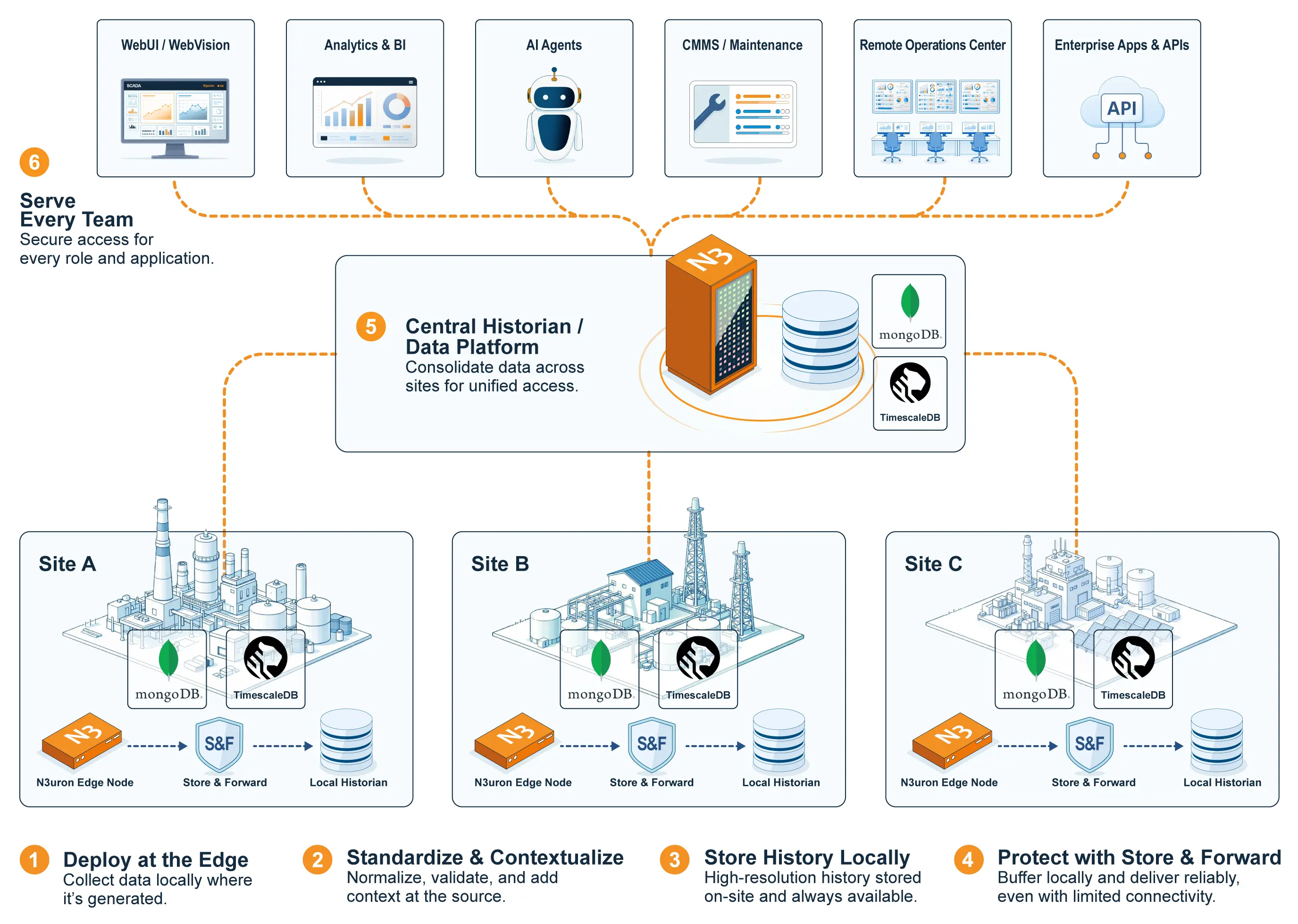
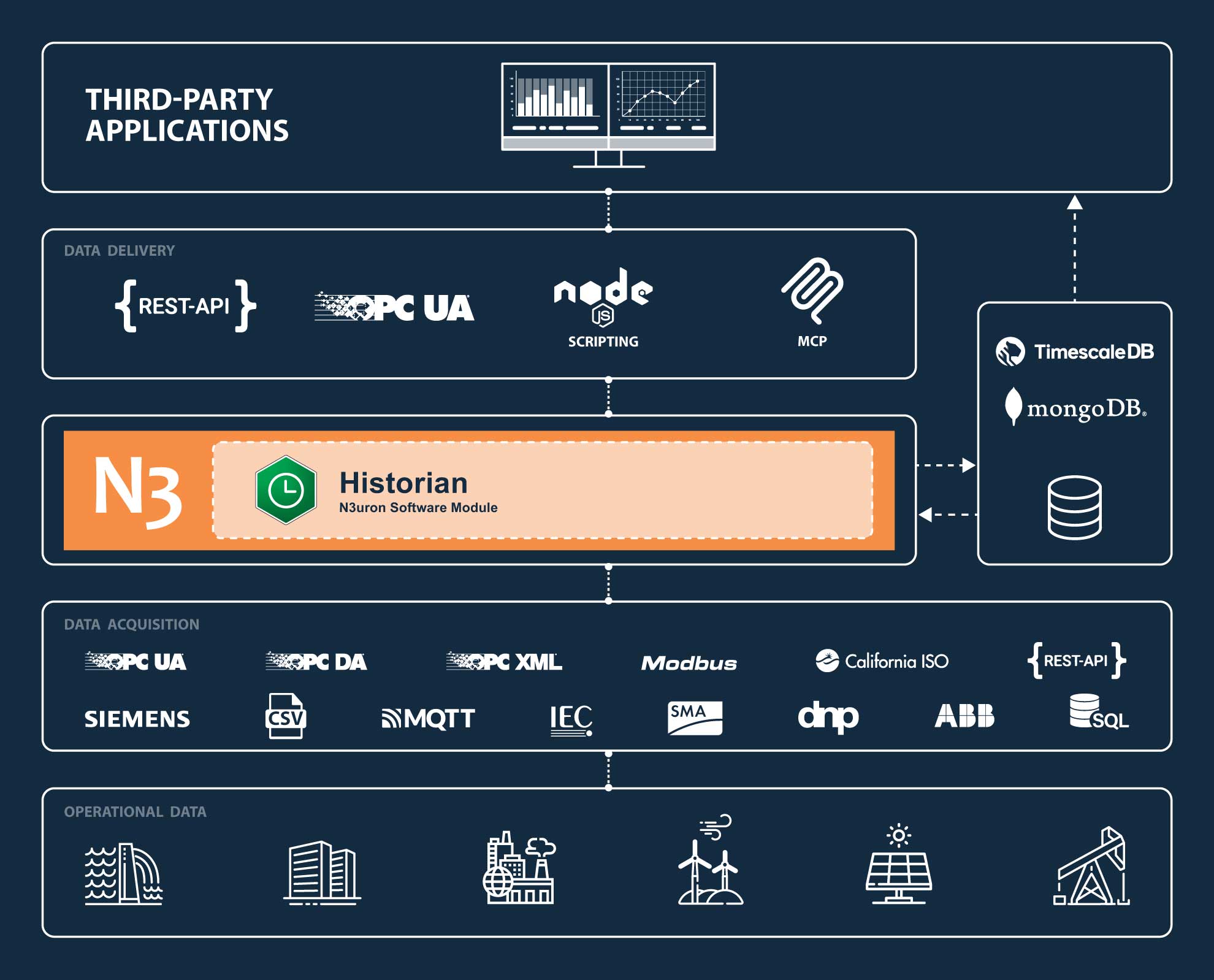
Historical data can be accessed and used by N3uron modules, external applications, services, and operational teams through open interfaces such as SQL queries, REST API Server, OPC UA Server, Scripting, MCP Server, WebUI, and Web Vision. This enables historical information to be visualized, analyzed, reported, and integrated with enterprise and data platforms without being locked into a single application or proprietary access method.
Key Features
High-Performance: Handles hundreds of thousands of insertions per second on powerful hardware.
Scalable: Uses efficient partitioning to scale to terabytes (TB) of time-series data while maintaining consistent performance.
Store&Forward: Built-in Store and Forward prevents data loss and improves durability during network interruptions or database outages.
Cost-efficient: Runs on commodity hardware and uses high-efficiency compression to store up to 150,000,000 events (150 million) per GB of storage.
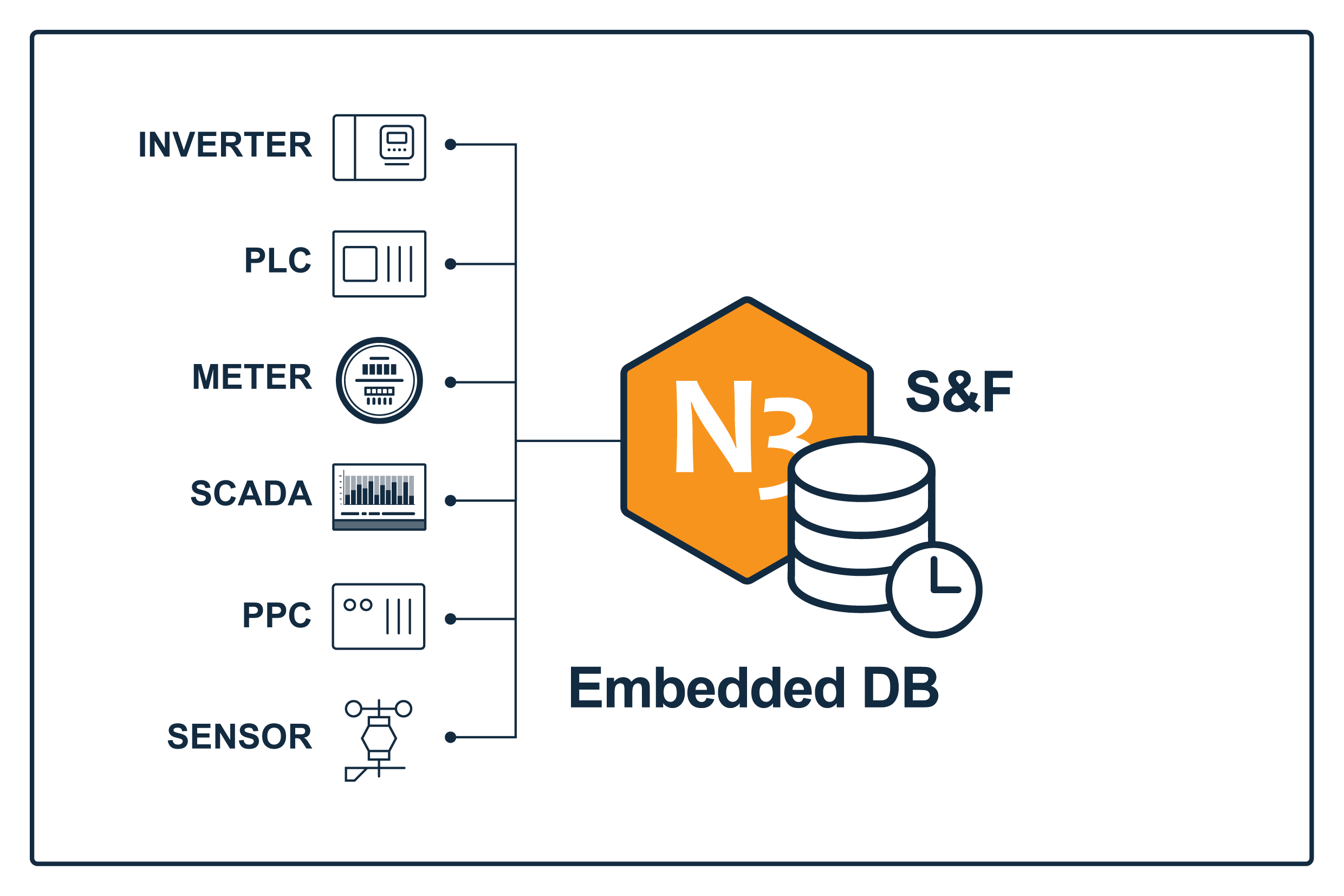
EmbeddedDB: Plug-and-play historization using the embedded database included with all N3uron v1.22 installations.
Platform integration: Historical data is accessible from WebUI, WebVision, Scripting, REST API Server, OPC UA Server, and MCP Server modules.
Databases
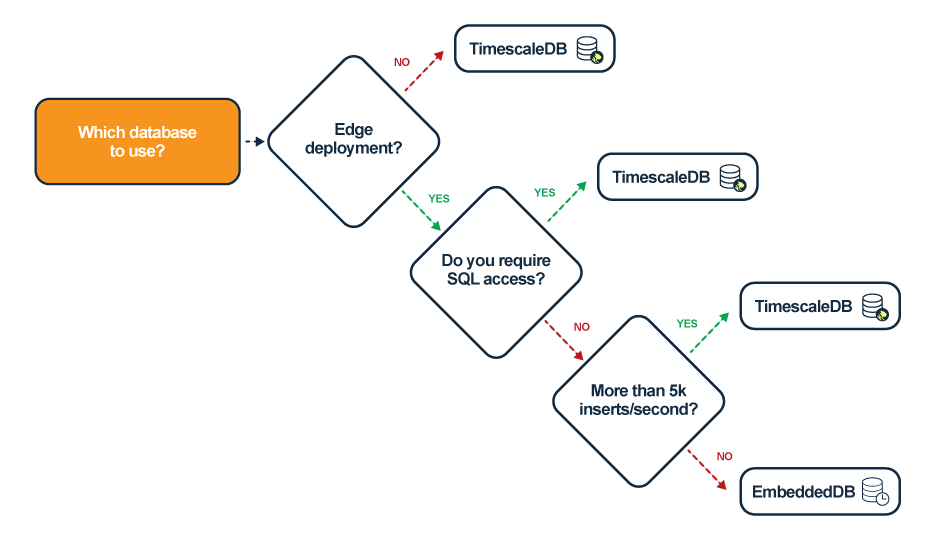
The N3uron Historian supports three different types of databases, each of which is suitable for different types of deployments and workloads.
Which Database to Use?
Embedded DB
Note
To use the EmbeddedDB make sure to have the following hardware requirements:
x64: The CPU must support AVX instructions.
ARM64: The CPU must use the ARMv8.2-A microarchitecture or later.
The EmbeddedDB is included out-of-the-box in all N3uron installations (x64 and ARM64) and ready to be used in the Historian module for local historization.
The embedded database, built on MongoDB, is the recommended option for the quick deployment of Historian instances. It is suitable for small to medium sites with data sets ranging from tens to a few hundred gigabytes (GBs).
TimescaleDB
Note
This is the recommended database for N3uron v1.22 deployments.
The Historian module is compatible with TimescaleDB version 2.24.x and later
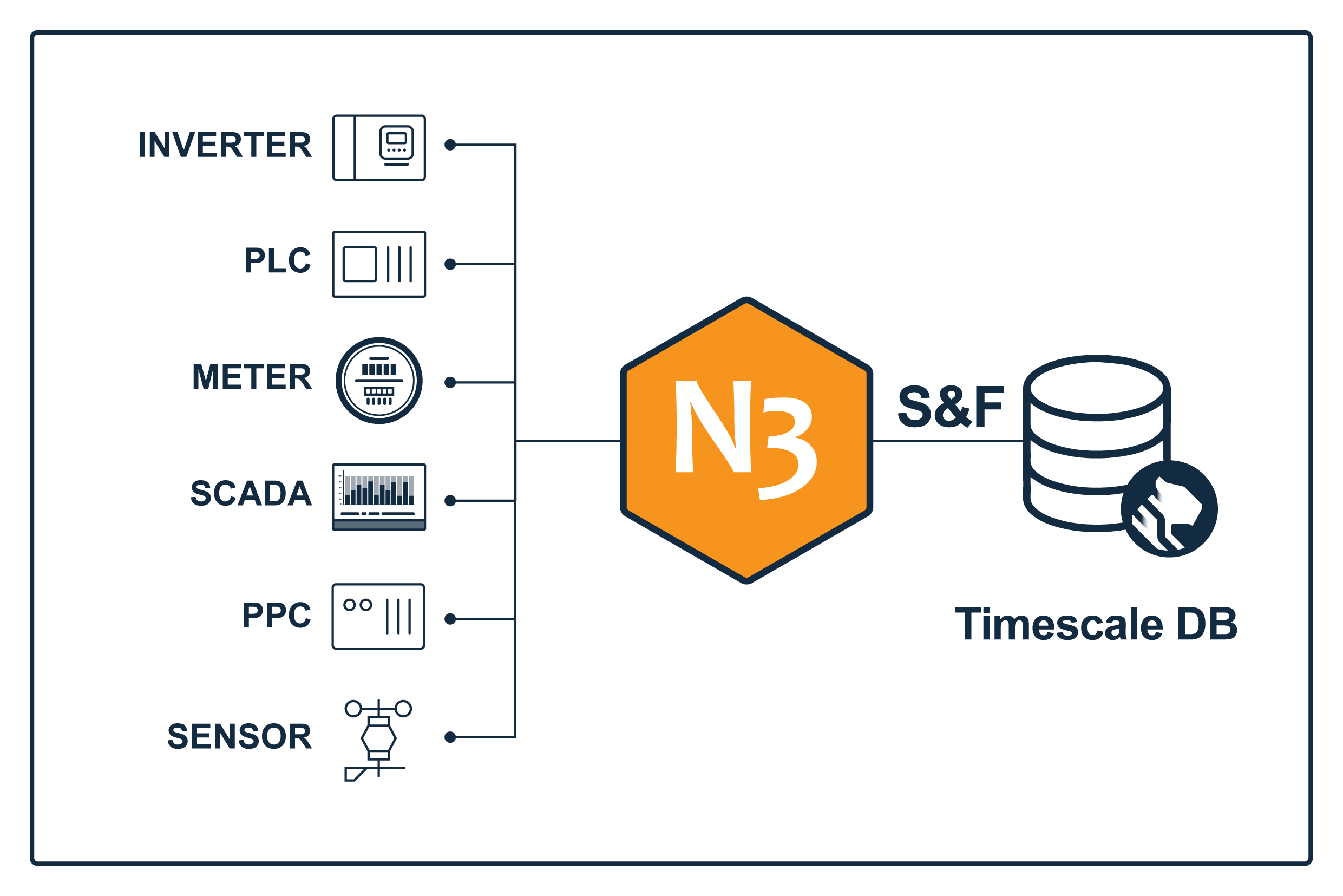
N3uron v1.22 introduces support for TimescaleDB as a time-series database backend for the Historian module. TimescaleDB is a time-series database built on PostgreSQL, designed to deliver high performance and cost-effective real-time analytics for time-series data.
The N3uron Historian with TimescaleDB uses a simple table structure to facilitate ad hoc SQL queries and seamless integration with external tools for visualization, reporting, and analytics.
This option is recommended for medium to large sites that require SQL-based access to historical data or centralized data warehouses that consolidate historical data from multiple sites connected via Links.
MongoDB
Note
The Historian module is compatible with MongoDB versions 3.6 or greater up to 8.0.x
To use MongoDB make sure to have the following hardware requirements:
x64: The CPU must support AVX instructions.
ARM64: The CPU must use the ARMv8.2-A microarchitecture or later.
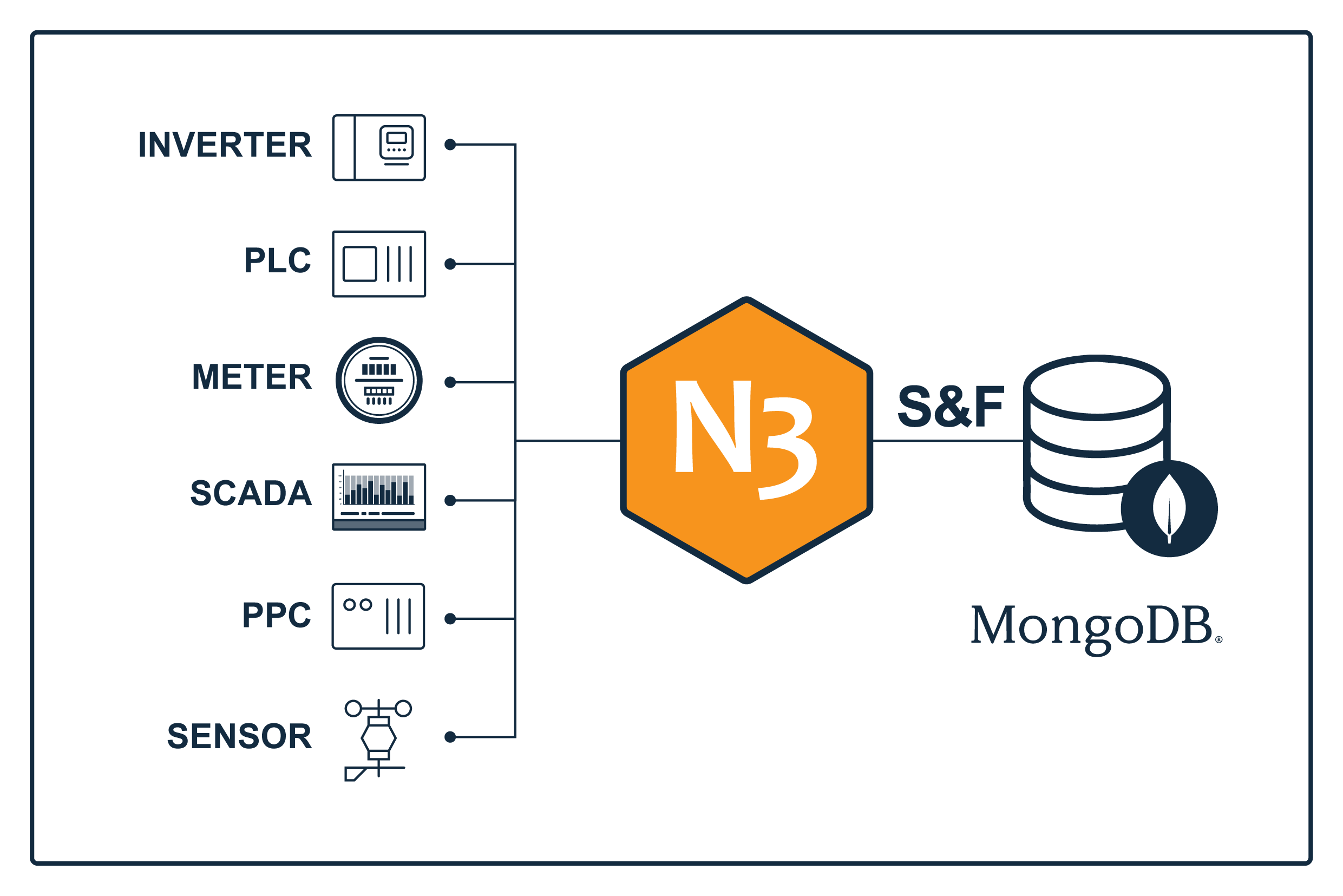
The Historian module supports the use of an external MongoDB instance to store time-series data. The data historian, built on top of MongoDB, uses a custom data structure and compression format to efficiently store and retrieve large volumes of time-series data.
This option is recommended for nodes running v1.21.x without support for TimescaleDB.
Platform Integration
The Historian module is deeply integrated with the rest of the N3uron IIoT & DataOps Platform, providing flexible and seamless access to historical data.
WebUI
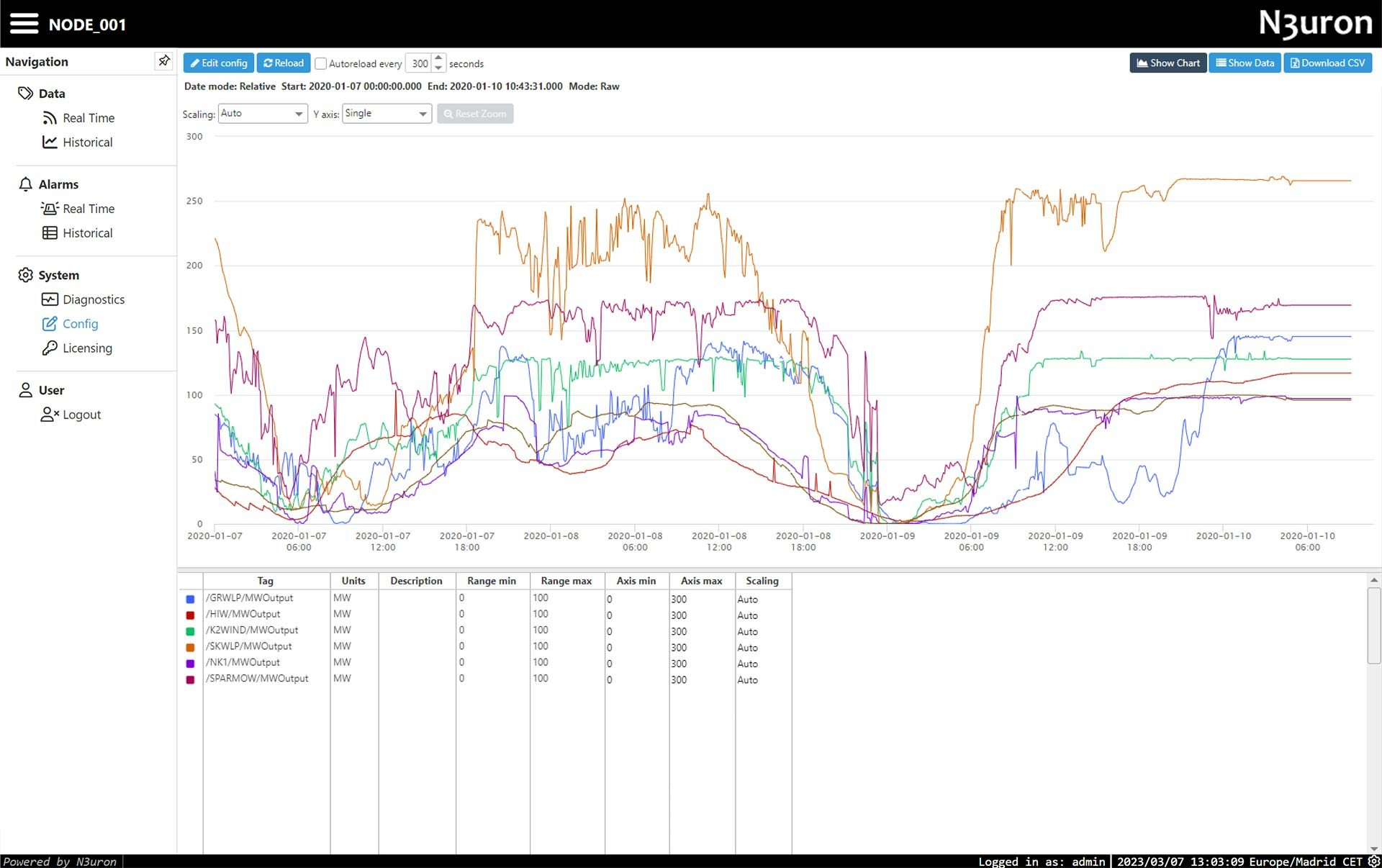
The WebUI module provides an HTML-based interface for retrieving, visualizing and exporting historical data using charts and tables, with support for both raw and aggregated data.
The retrieved historical data can reside in a Historian instance running on the same N3uron node as the Web UI module, or on a different N3uron node connected via Links. More information avaialbel here:
https://docs.n3uron.com/docs/platform-visualizing-historical-values
Web Vision
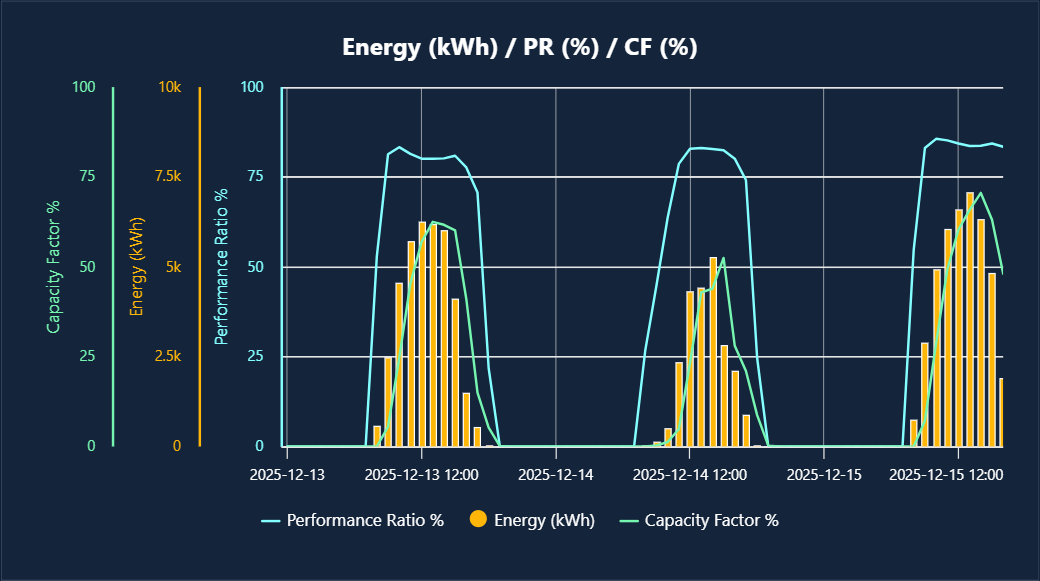
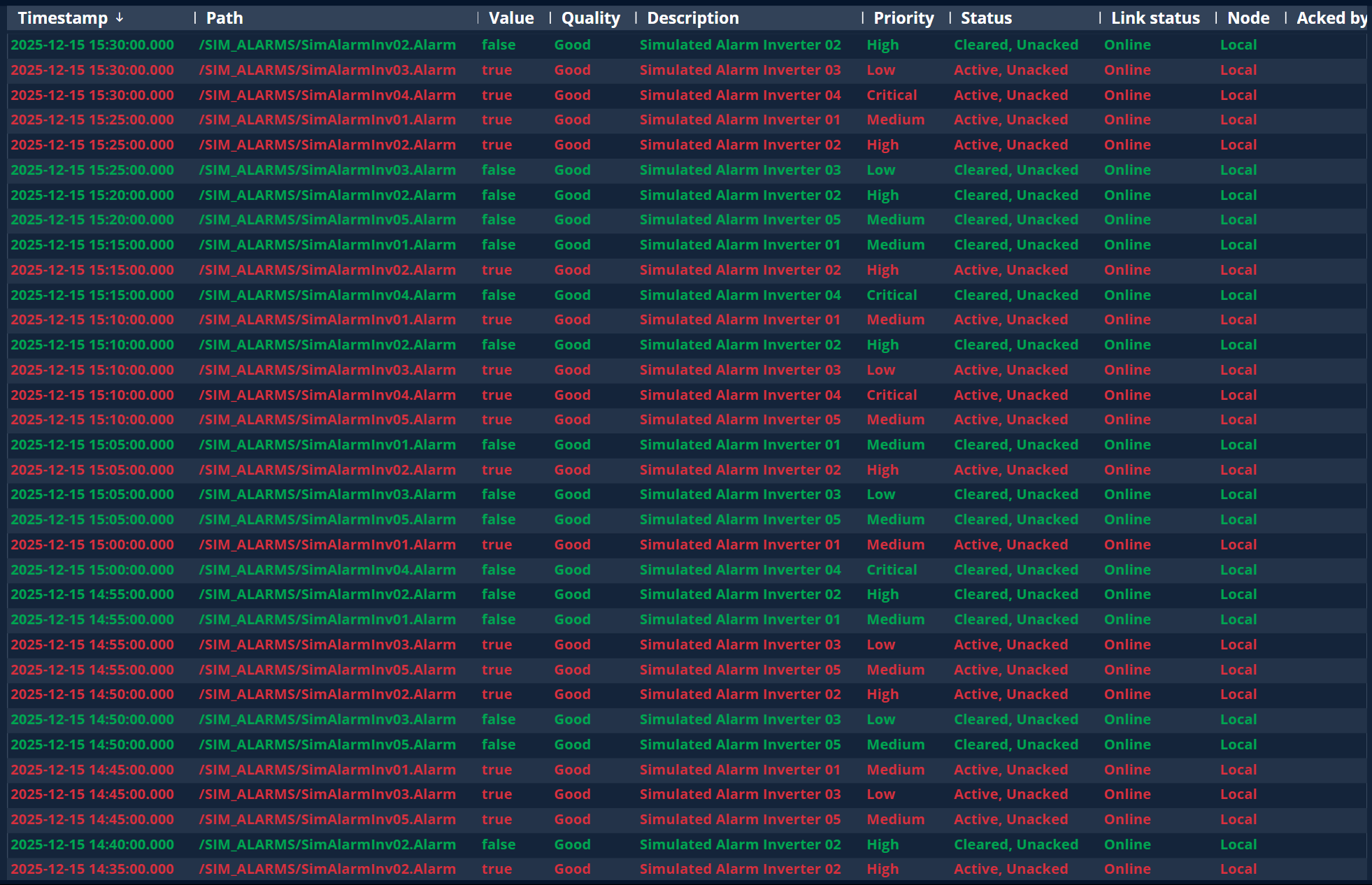
In the Web Vision module, historical data of tags and alarms can be accessed through a Historical Dataset and visualized using the charts and data tables components.
The retrieved historical data can reside in a Historian instance running on the same N3uron node as the WebVision module, or on a different N3uron node connected via Links.
Scripting
The Scripting module provides programmatic access to historical data for tags and alarms using simple JavaScript through the $.api.tag.history and $.api.alarm.history APIs.
The following example retrieves raw historical data for the last 6 hours in raw format:
const history = await $.api.tag.history("/PVSIM/BLUELAKE/PVG001/PST_01/INV001/ACTIVE_ENERGY",
    Date.now() - 6 * 60 * 60 * 1000,
    Date.now(), {
    mode: "raw",
});
REST API Server
Using the REST API Server module, historical data can be retrieved in JSON format through the history, historyMany, and historyFilter APIs for tags, and the history API for alarms.
The retrieved historical data can reside in a Historian instance running on the same N3uron node as the RestApiServer module, or on a different N3uron node connected via Links.
Example request using cURL:
curl --location 'https://api.example.com/tag?cmd=history&end=2025-07-20T15%3A10%3A51.174Z&options.mode=raw&path=%2FPVSIM%2FBLUELAKE%2FPVG001%2FPST_01%2FINV001%2FACTIVE_ENERGY&start=2025-07-19T15%3A10%3A51.174Z' \
     --header 'Authorization: Bearer ************'
MCP Server
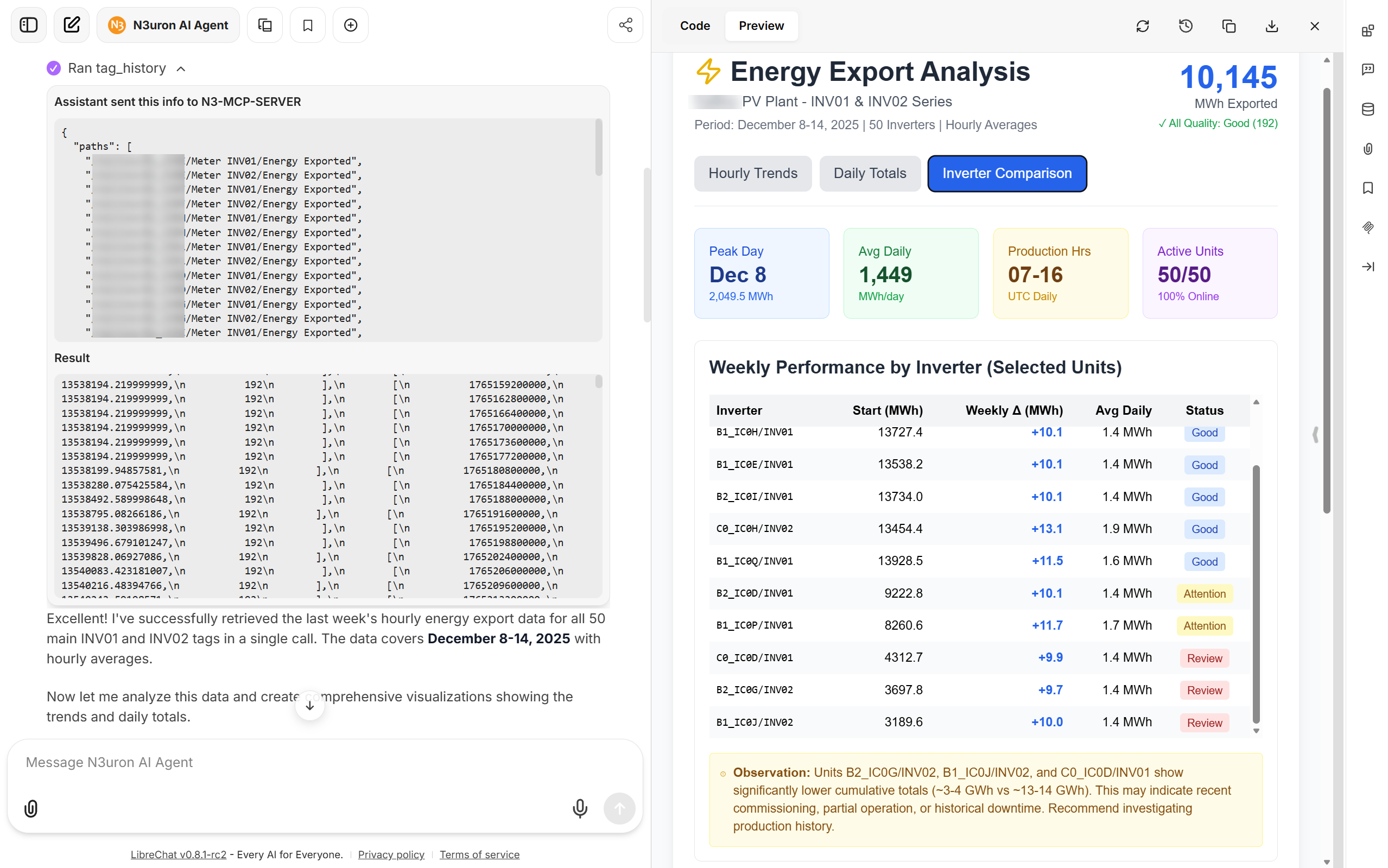
The MCP Server module, introduced in N3uron v1.22, enables seamless access for Large Language Models (LLMs) with tool-calling support to query, retrieve, and process historical data. This allows the generation of reports, extraction of insights, and detection of anomalies using natural language.
Example prompt:
Find the exact tag paths for /INV0[1-2]/Energy Exported,
retrieve last-week history average aggregate for every hour,
in one call, then provide insights and generate charts (trend + daily totals).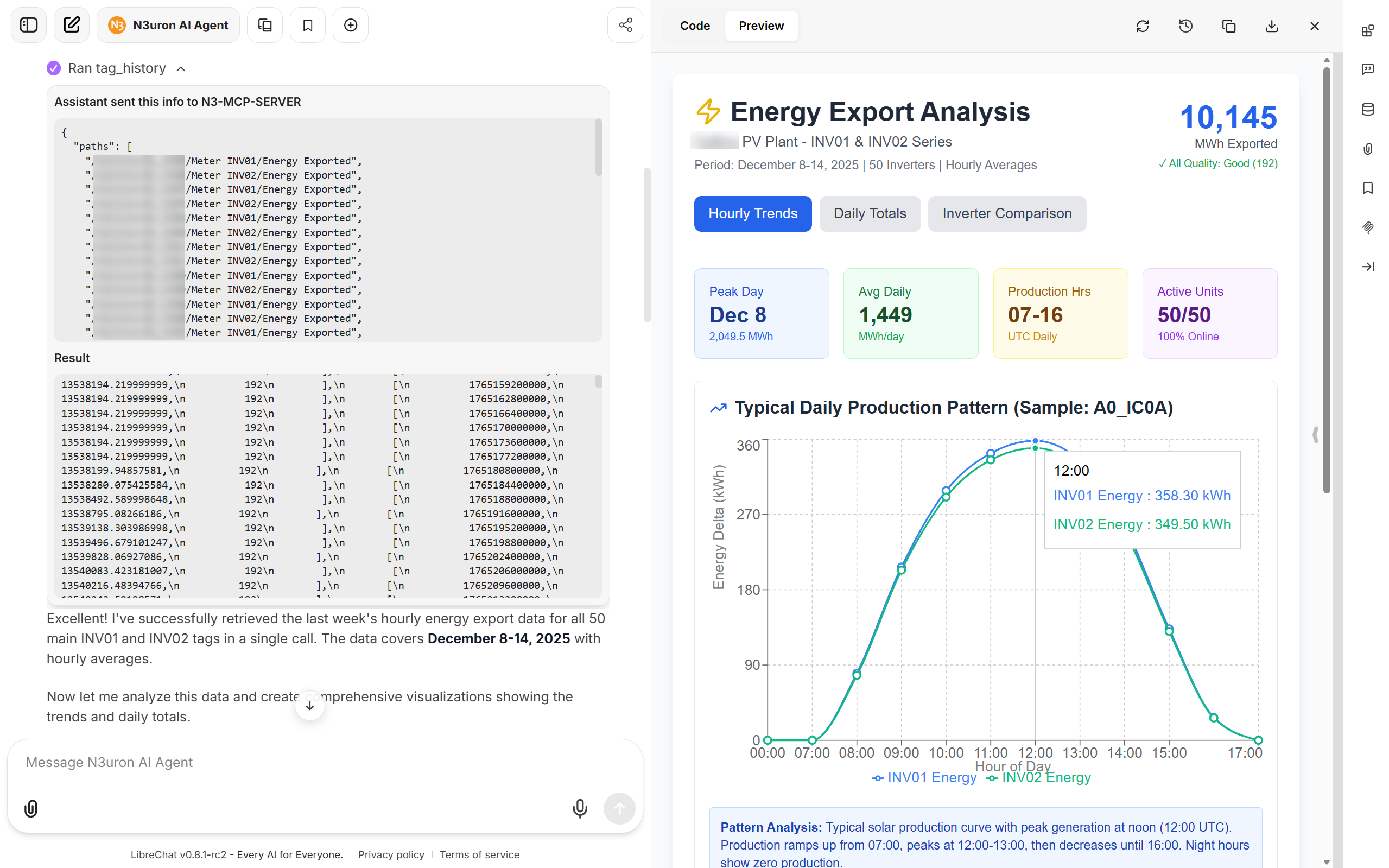
OPC UA Server
The N3uron OPC UA Server module supports the OPC UA Historical Access specification, allowing any OPC UA client that supports Part 11 of the specification to retrieve historical data. An example is available here:
https://docs.n3uron.com/docs/opc-ua-server-examples#how-to-access-historical-data-ha